
- ZappoPOS
- Watch shops
POS system for watch shops
Sell from the showcase. Find any sale by phone.
ZappoPOS puts your watches on the counter screen as photos, with model codes and prices. Bill a watch, a strap and a battery change together, print it on A4 with photos or send it on WhatsApp, and find it again when the customer comes back for service.
From Rs. 1,500 a month (launch price). No setup fee. See pricing.
Your showcase, on the counter screen
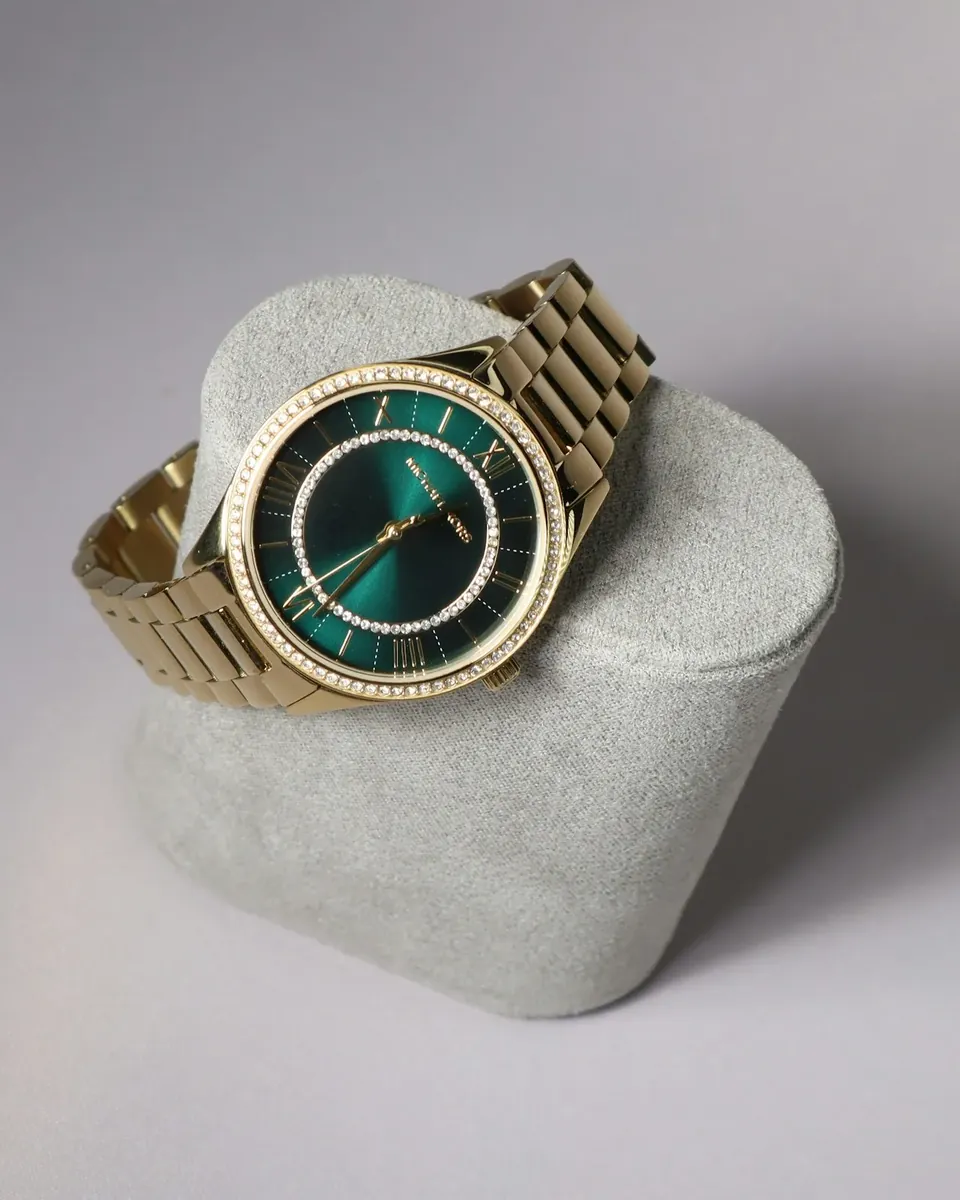
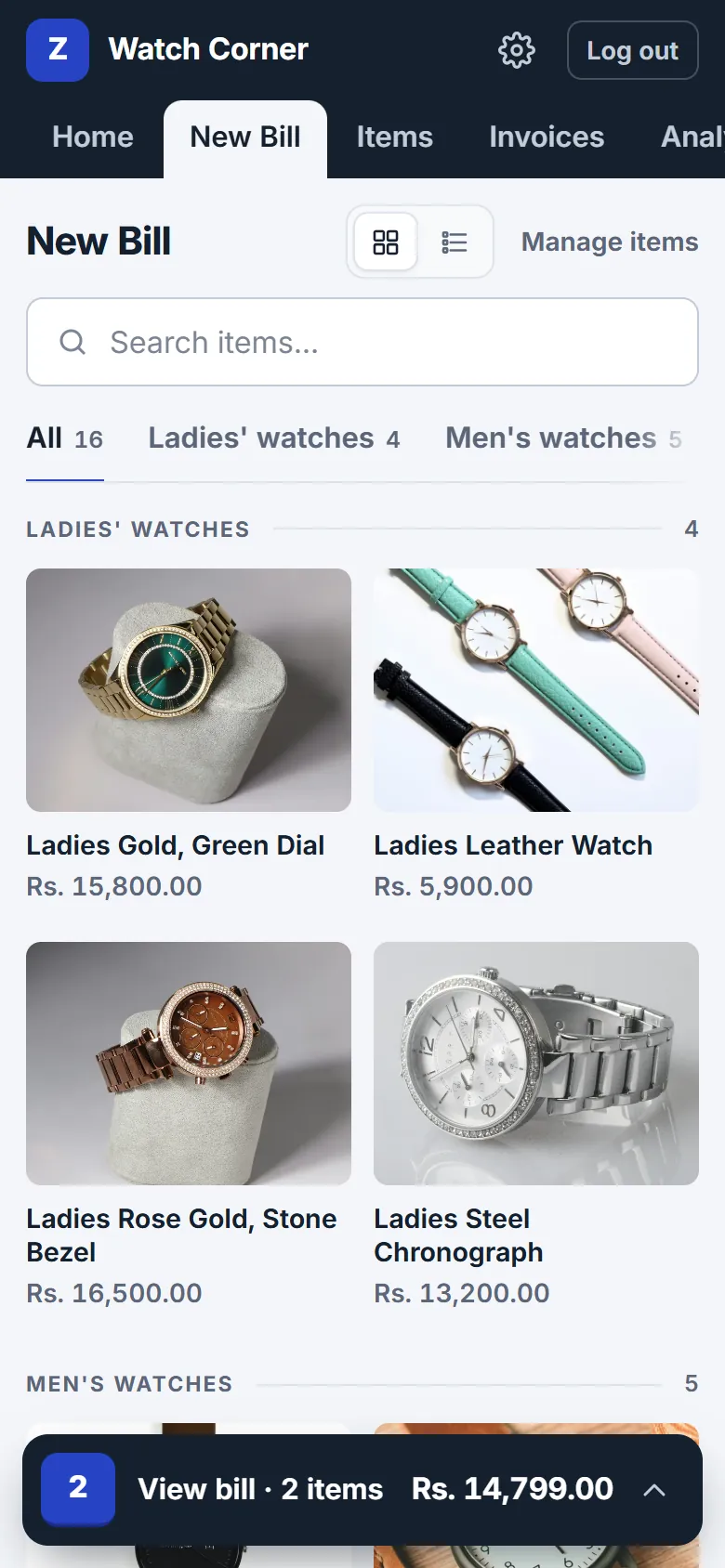
Watches sell on looks. When the customer points at the gold one with the green dial, your staff tap that photo, not a line of text.
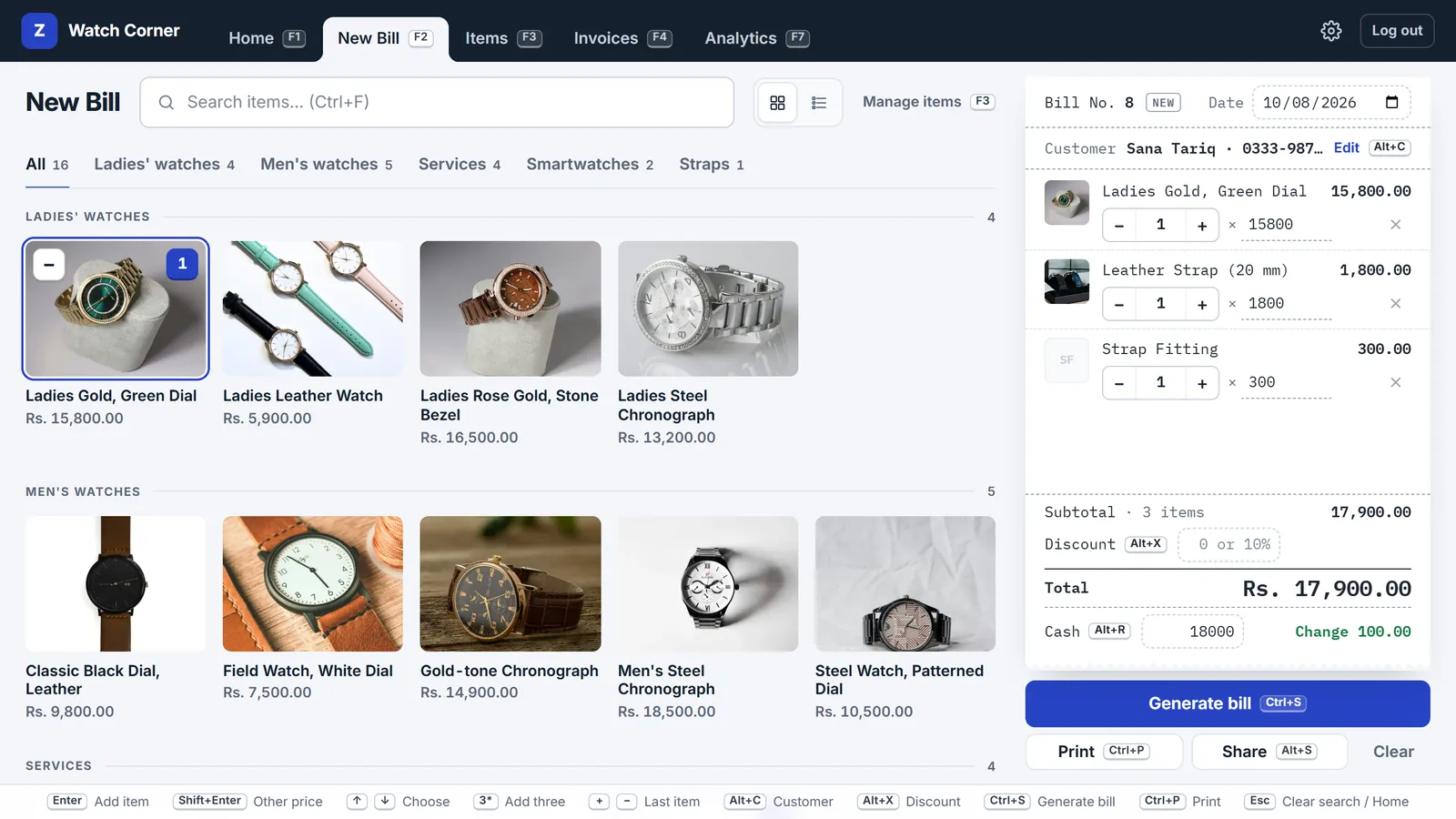
- F3 Every model with its photo and code
- Add each watch once: name, price, photo and model code, plus details like case size and strap for your staff. Group them as men's, ladies', smartwatches, straps and services.
- F2 Find it in seconds
- Search by name or model code, or scan the barcode on the box with a USB scanner. Photos are optional: items without one still work, as a tile or in a plain list.
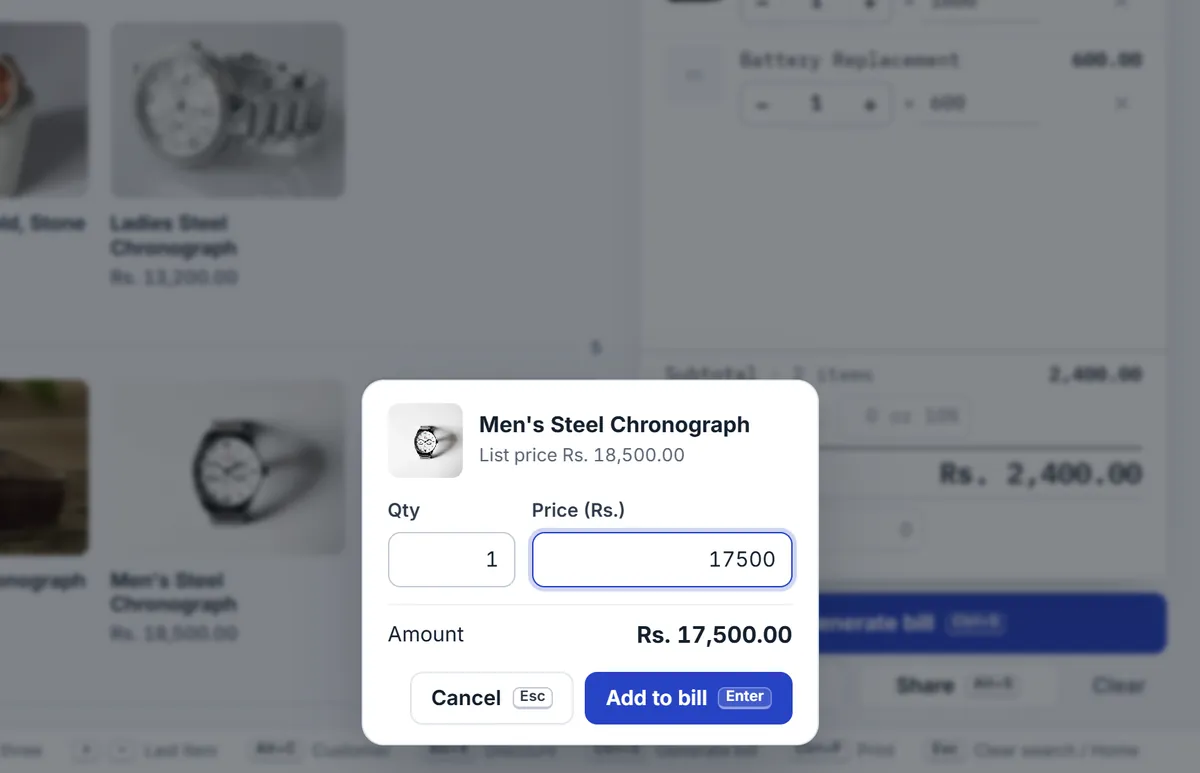
Bargaining is normal. The bill keeps up.
- Right-click a watch, or hold it on a phone, and type the price you agreed. It gets its own line, so the bill shows what the customer actually paid.
- Or take money off the whole bill, as an amount or a percentage like 5%.
- Taking an advance on an order? Enter what the customer paid as the cash received, and the bill shows the balance due.
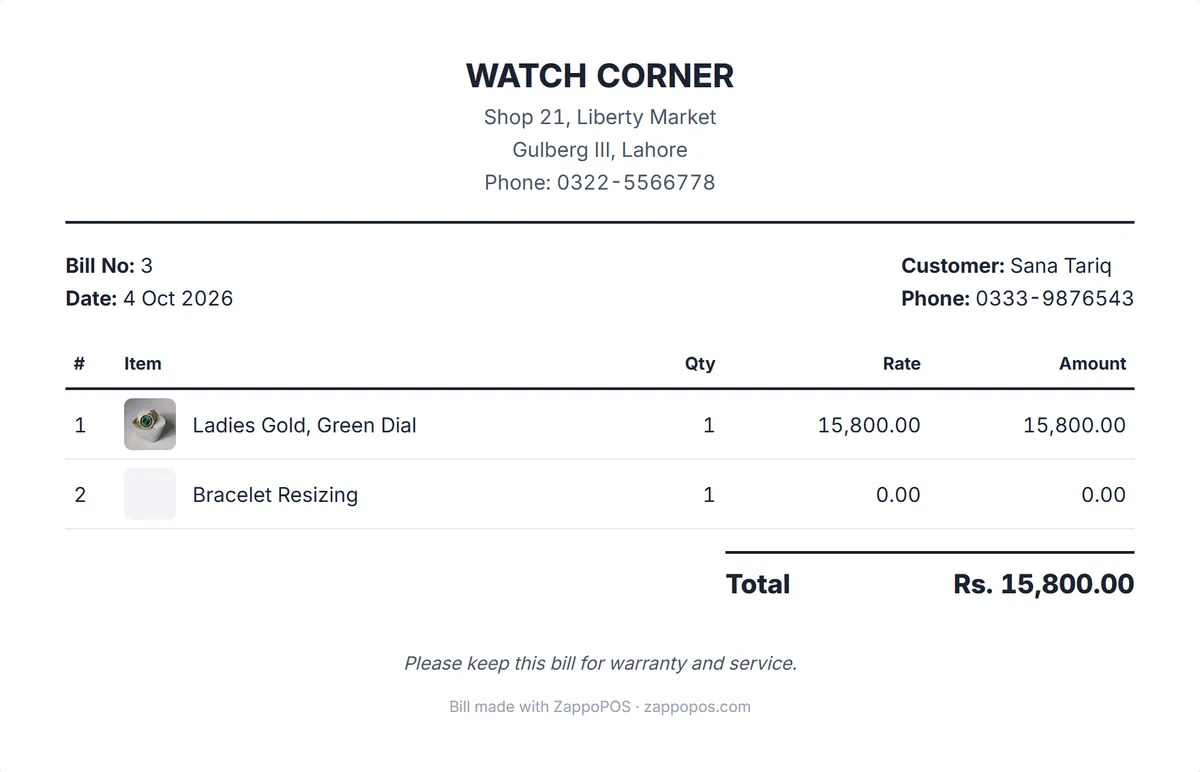
The customer's name and phone on every bill
Add the customer to the bill (Alt+C): name, phone and address print on it. An A4 bill also shows a small photo of each watch, with your logo and shop details on top.
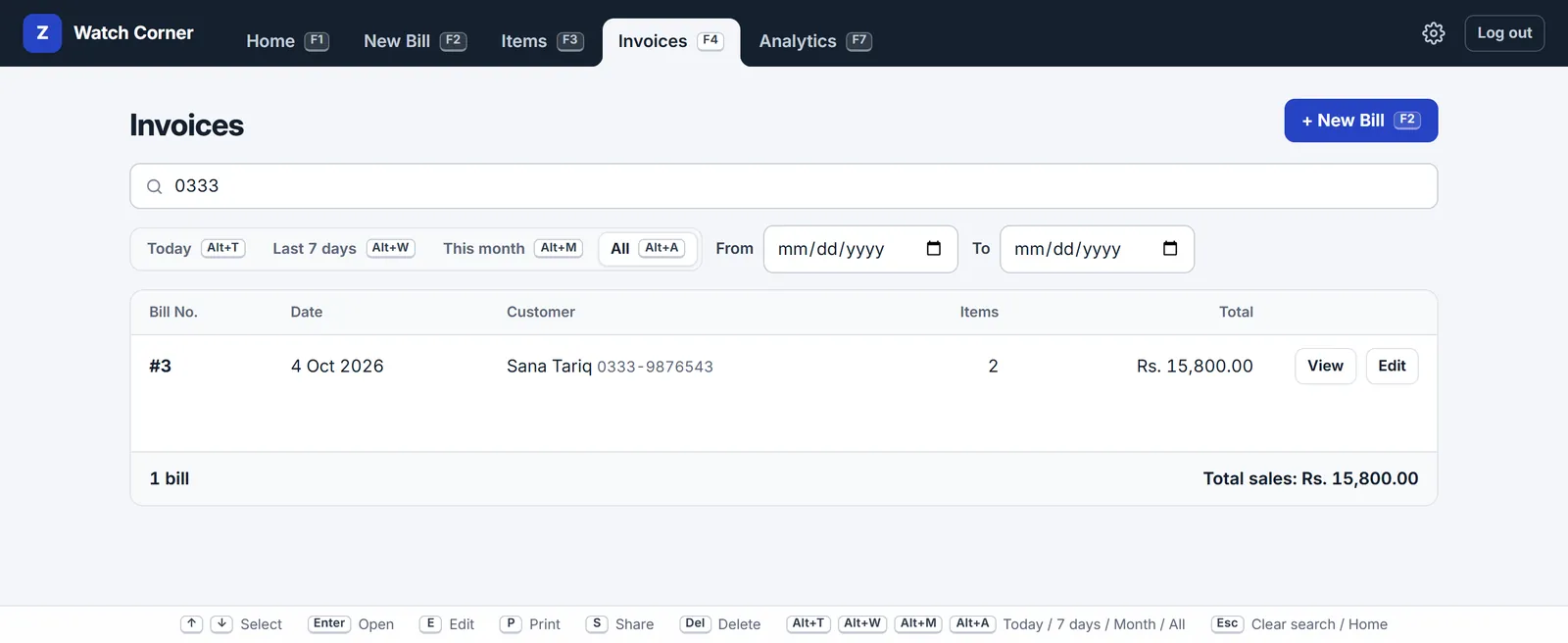
Months later, when the customer is back for a battery or a warranty claim, type their phone number in Invoices. The sale is there to see, reprint or send again.
Write your warranty terms in the bill note, and they print at the bottom of every bill.

Straps, batteries and repairs on the same bill
Add your services as items with your usual prices: battery replacement, strap fitting, bracelet resizing, a full service. Sell a strap and fit it on one bill.
A repair that isn't on your list? Type what it is, give it a price, and it goes on that bill only. Services show up in Analytics with your best sellers, so you can see what the service counter brings in.
At the counter, or on the shop floor
Open ZappoPOS on the counter computer and on a phone at the same time. Show the customer the models on the phone, build the bill there, and send it to their WhatsApp as a picture, a PDF or a message.
If the internet drops, new bills still work on a device that has opened ZappoPOS before. They are kept on that device and sent to your account when the connection is back. Changing items or old bills waits for the connection.
Is ZappoPOS right for your watch shop?
A good fit for
- watch shops and counters in markets and bazaars
- shops that sell watches together with straps, batteries and repairs
- gift, optics and accessory shops with a watch counter
- shops that sell on WhatsApp and send bills to customers there
- shops that want to know how many of each model are left, and the profit on each
Pick something else if you need
- serial number and warranty date tracking
- fixed instalment plans with due dates and reminders
- an FBR-integrated POS, which Tier-1 retailers such as shops in air-conditioned malls must use
Questions
Something else? Ask the Zappo Team.
Can I scan the barcode on the watch box?
Yes. Save the barcode number as the item's code (up to 20 characters). A USB barcode scanner that types the code and presses Enter, as most do, adds the watch to the bill.
Where do model numbers, case sizes and warranty terms go?
Put the model number in the item's code, so you can search by it. Case size, strap and warranty can go in the item's details, which your staff see on the Items page and when they point at the item. Details don't print on the bill; to print your warranty terms on every bill, write them in the bill note in Settings.
Do the watch photos print on the bill?
On A4 bills, PDFs and bill pictures shared on WhatsApp, yes: a small photo next to each item. You can turn this off in Settings. Bills printed on an 80 mm receipt roll never show photos.
Does ZappoPOS keep stock counts or serial numbers?
Stock counts, yes: switch on Stock in Shop settings and count your showcase once. Every bill takes off the watch it sold, you add new models when they arrive, and New Bill warns when a model is running low (it never stops a sale). Serial numbers and warranty dates, no: there is no separate field for them, so if you need each piece tracked by serial number, ZappoPOS is not the right choice.
Can a customer pay in parts?
Yes, with Customer accounts switched on in Shop settings. Tick Pay later on the bill and what isn't paid now goes on the customer's account. Note each payment as it comes in, and send them a statement on WhatsApp with what's left to pay. There are no fixed instalment plans or reminders.
How do I bill a battery change or a repair?
Add the services you offer as items, without a photo if you like: battery replacement, strap fitting, bracelet resizing. Tap them like any other item. For a one-off repair, type what it is, give it a price, and it goes on that bill only.
My shop is in a mall. Can I use ZappoPOS?
Shops in air-conditioned malls are usually Tier-1 retailers, and FBR requires Tier-1 retailers to use an FBR-integrated POS. ZappoPOS is not FBR-integrated, so it is not the right choice for them. Ask your tax advisor if you are unsure about your shop.
How much does it cost?
Rs. 1,500 a month for your shop and your own login. Each staff login adds Rs. 700 a month and each extra branch Rs. 1,200 (launch prices); 25% less when you pay for a year. No setup fee. See pricing.
Put your showcase in, make the first bill today
Free for 7 days. No payment details, nothing to install.