
- ZappoPOS
- Restaurants & fast food
Billing software for fast food, takeaways and small restaurants
At a busy counter, the bill should take less time than the order. ZappoPOS shows your menu as photos: tap what the customer ordered, take the cash, then print the slip or send the bill on WhatsApp.
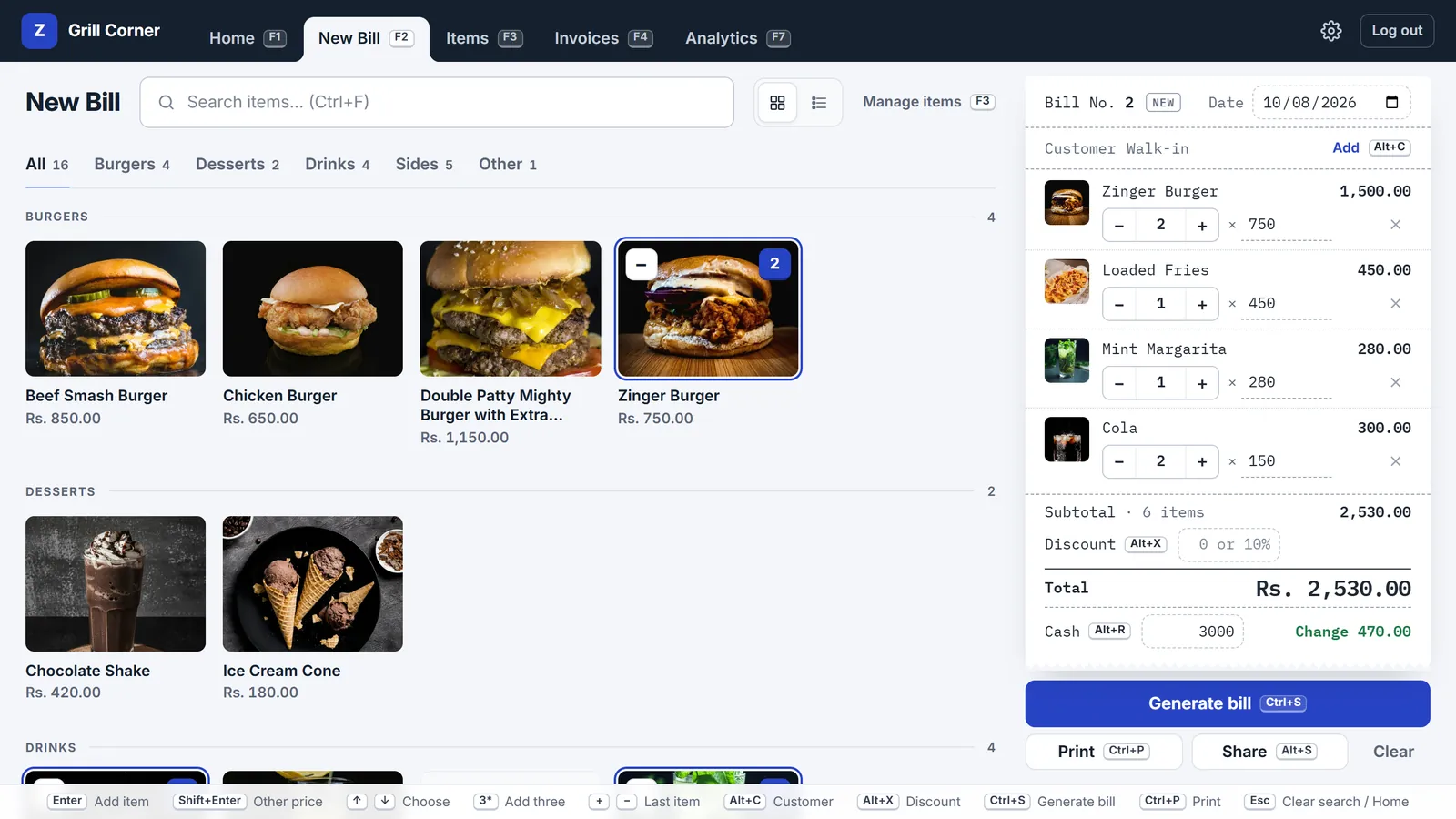
Tap the menu, not a keyboard
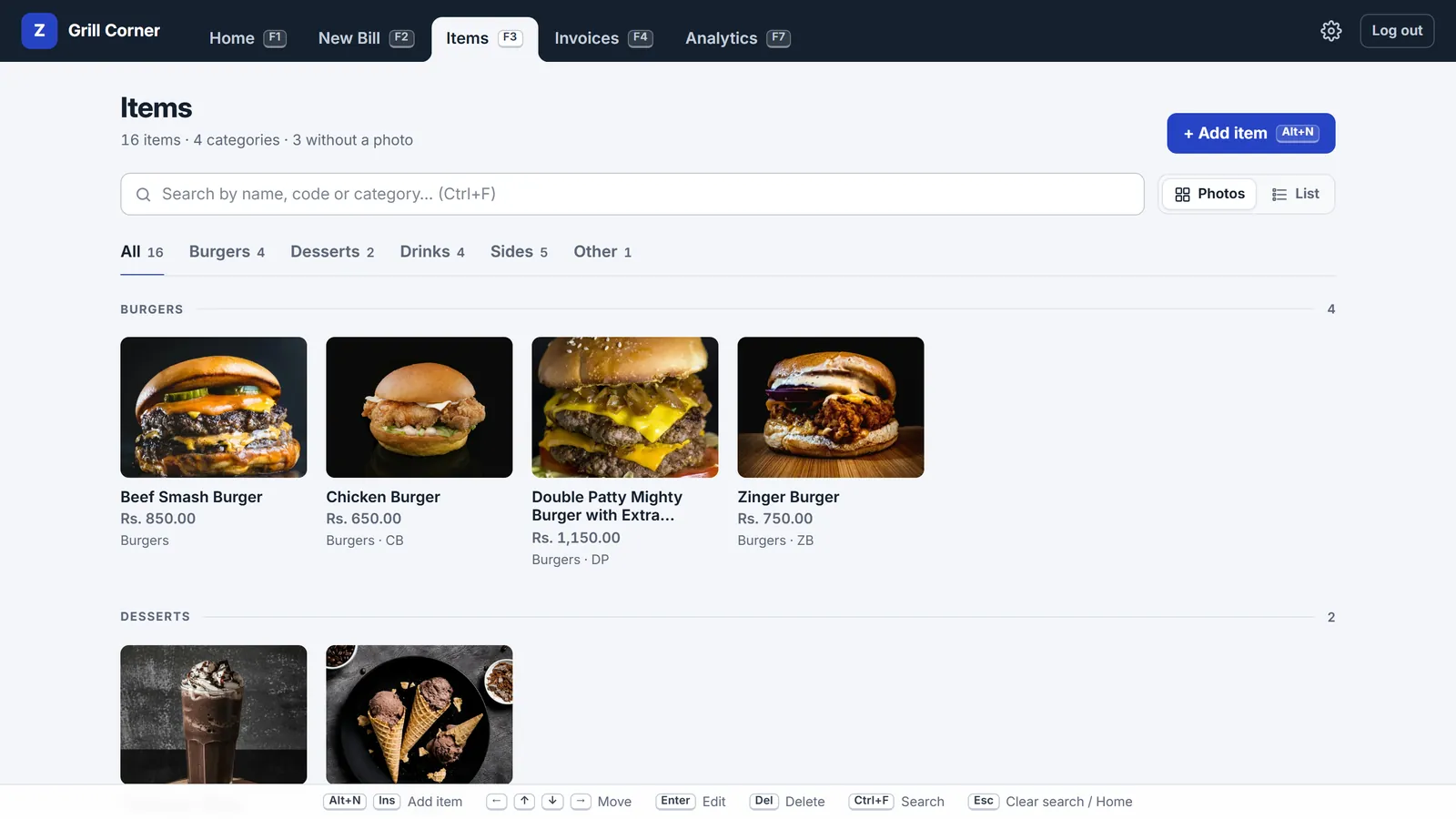
New staff learn the screen in a few minutes because they recognise the food. Items are grouped the way your menu is: burgers, rolls, sides, drinks, deals.
- Tap a photo to add it, and tap again for one more. The count shows on the photo, with a minus to take one off.
- In a rush, type the first letters and press Enter. 3*zinger adds three.
- Photos are optional. A plain list of names and prices works too, and is quicker for long menus.
Deals, staff meals and one-off extras
At a food counter, the price isn't always the list price.
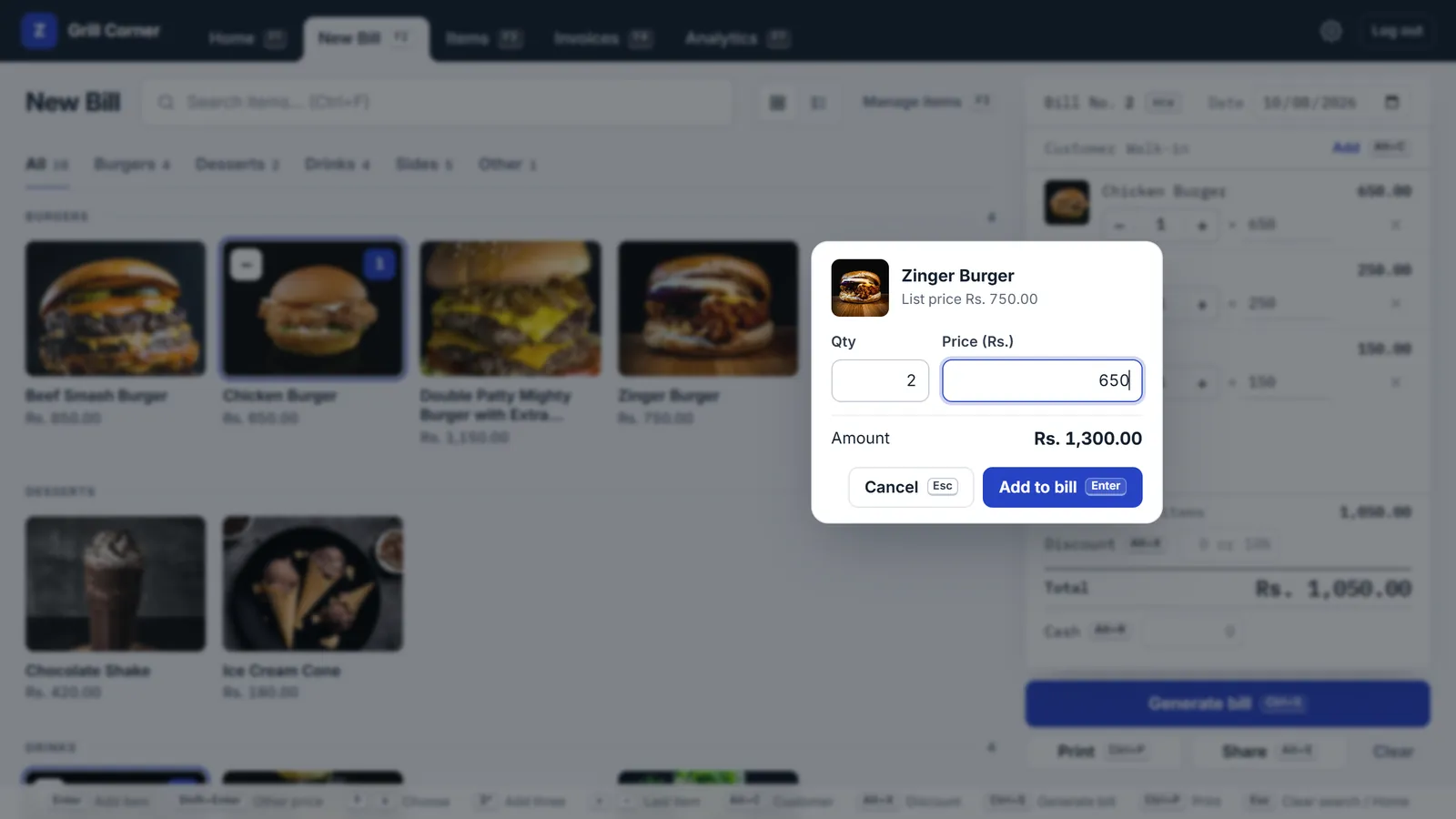
- Hold an item, or right-click it, to add it at another price: a deal, a staff meal, a regular's discount. It gets its own line, so the bill shows what was charged.
- Take money off the whole bill as an amount or a percentage, like 10%.
- Extra cheese or a delivery charge that isn't on the menu? Type it, give it a price, and it goes on this bill only.
Print the slip, or send the bill on WhatsApp
With an 80 mm thermal printer, the bill prints like any restaurant slip: your name, address and phone on top, the items, total and change, and your note at the bottom. Print saves the bill, prints it, and opens a fresh bill for the next customer.
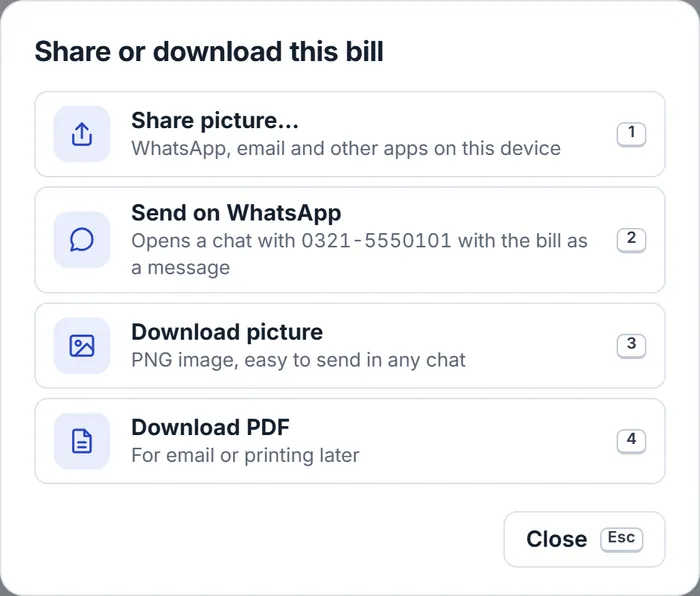
For delivery and phone orders, send the bill to the customer's WhatsApp number from the bill screen, as a picture, a PDF or a message they can read without opening anything.
See what sells, and when
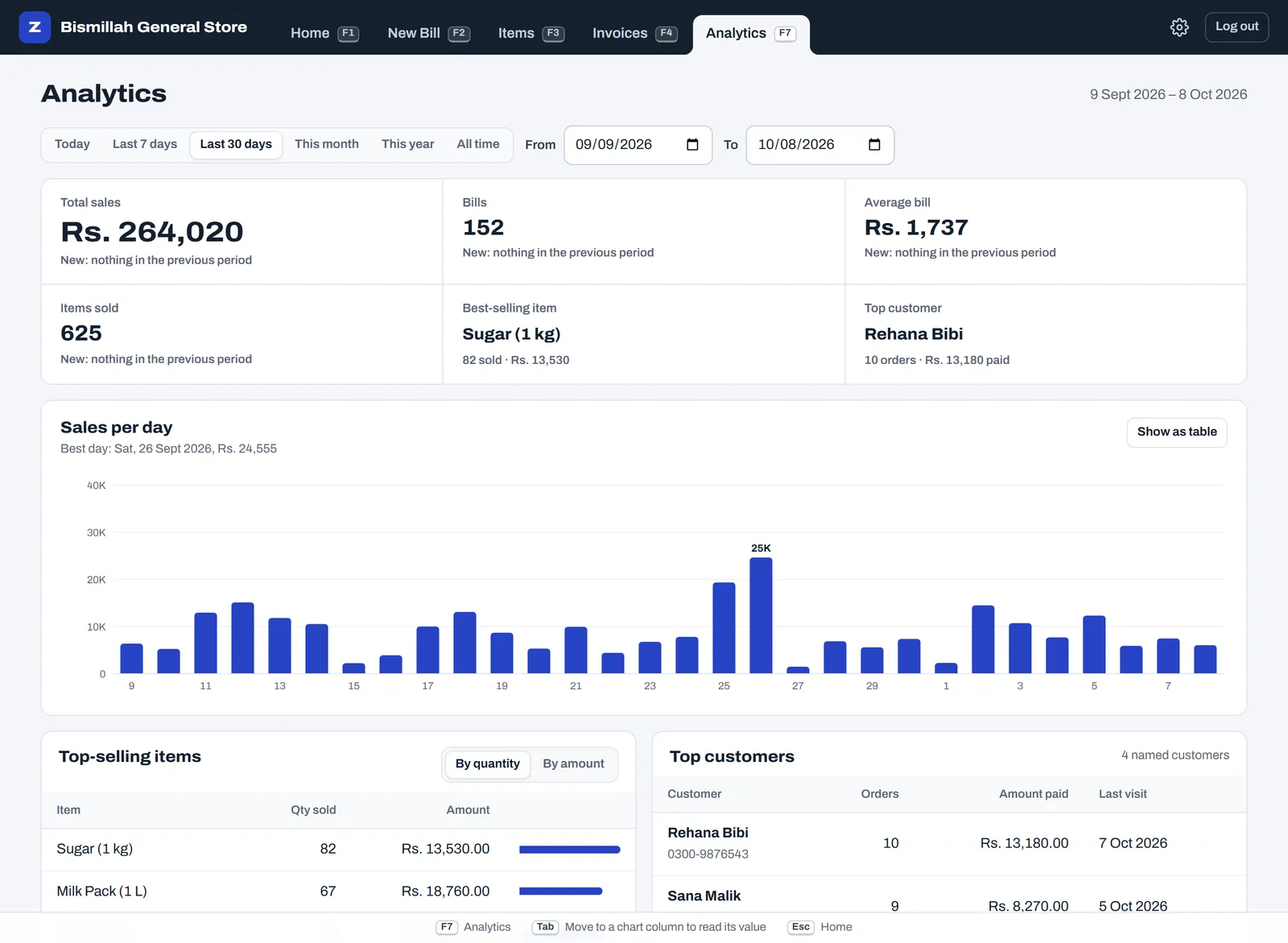
Analytics shows your best sellers by quantity or amount, sales per day, and the busiest days and hours. Plan the morning prep and the evening staff from your own numbers.
Is ZappoPOS right for your restaurant?
A good fit for
- takeaway and fast food counters: burgers, shawarma, rolls, pizza, BBQ
- juice, shake and ice cream shops
- small cafes where customers pay at the counter
- home kitchens that take orders on WhatsApp
Pick something else if you need
- table plans and kitchen order tickets for waiters
- sales tax lines on every bill: ZappoPOS doesn't add tax
- an FBR-integrated POS, which restaurants classed as Tier-1 (for example in air-conditioned malls) must use
- recipe costing or ingredient stock
Questions
Something else? Ask the Zappo Team.
Can staff use it on a phone or tablet at the counter?
Yes. ZappoPOS works in Chrome on Android phones and tablets as well as on computers. The shop computer and a phone can be logged in at the same time, and every bill gets its own number.
Can I print a kitchen copy?
ZappoPOS prints the customer's bill. There is no separate kitchen ticket; if your kitchen works from paper, print two copies of the bill from the print window.
How do I add a delivery charge?
Add an item called Delivery with your usual charge, and tap it like any other item. For a one-off amount, type "delivery" in the search box and enter the price.
Which printer do I need?
Any 80 mm thermal receipt printer installed on Windows, or a normal A4 printer. The receipt printer guide covers setting it up and the usual problems.
What happens if the internet drops during a rush?
Keep billing. On a device that has opened ZappoPOS before, new bills are kept on that device, printed with a short reference, and sent to your account with their bill number when the connection is back. Changing the menu or old bills waits for the connection. Don't clear the browser's data while bills are waiting to sync.
Can I see the profit on each item?
Yes, if you know what each item costs you to make. Switch on Profit in Shop settings and enter a cost price for each item; Analytics then shows your profit, your margin and the items that earn the most. ZappoPOS doesn't work out costs from recipes or keep ingredient stock.
Can my menu be in Urdu?
Yes. Item names can be in Urdu or English, and they print as typed.
Put your menu in, make the first bill today
Free for 7 days. No card, nothing to install.