
- ZappoPOS
- Bakeries & sweet shops
Billing software for bakeries and sweet shops
Cakes by the piece, cookies by weight, sweets by the kilo, and a queue out the door at Eid. ZappoPOS puts all of it on one bill: tap the photo, type the weight, and the amount works itself out.
Sell by the kilo without a calculator
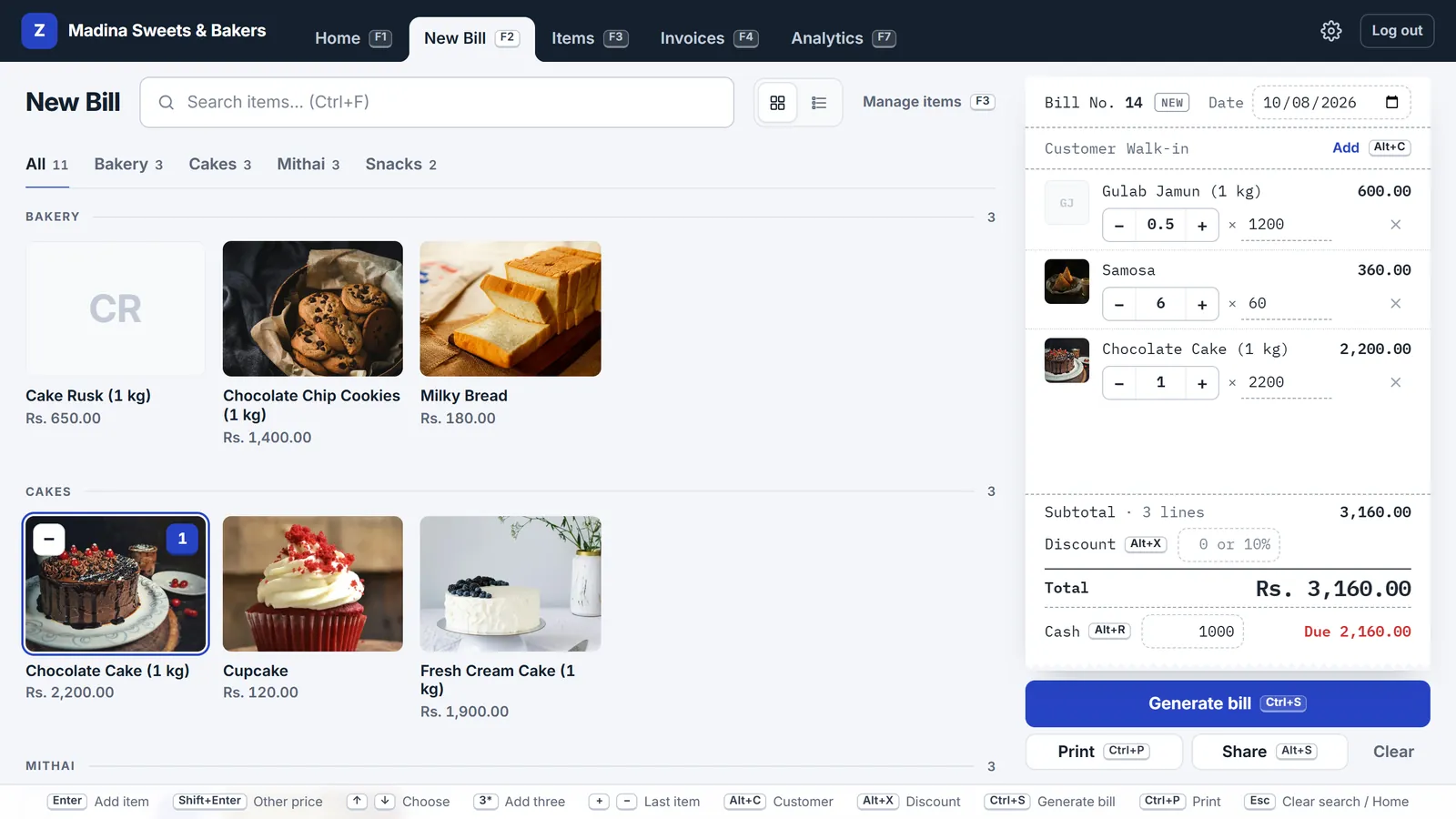
Set each sweet's price per kilo. At the counter, type 0.5*gulab and press Enter for half a kilo, or change the quantity on the bill to 0.25, 0.75, 1.5. The amount is worked out for you and the weight prints on the bill.
Cakes, cupcakes and samosas sell by the piece on the same bill. Tap the photo; tap again for one more.
Orders, advances and special prices
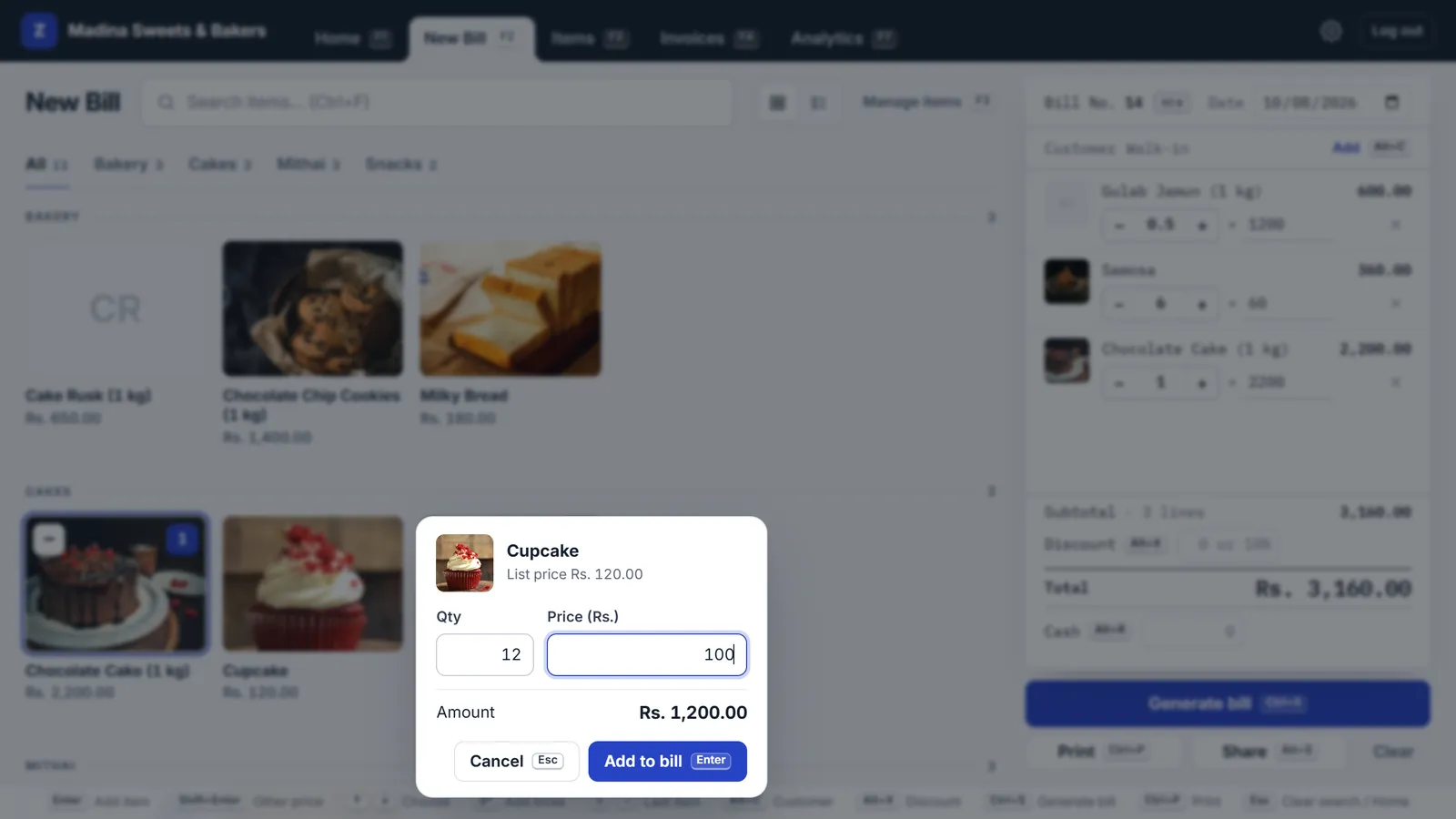
- Special price: hold an item, or right-click it, and enter the price for this order. It goes on its own line; the list price stays the same.
- Extras: a name on the cake, a different flavour? Type it with its price, for this bill only.
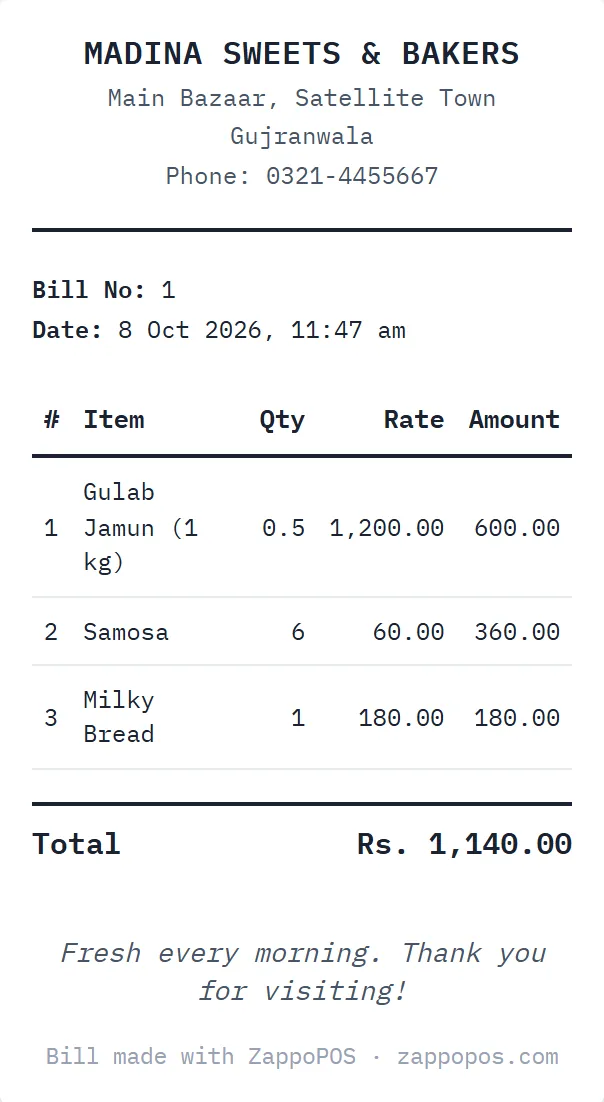
- Advance: enter what the customer paid as the cash received. The bill shows the balance due, and you can send it to their WhatsApp as confirmation of the order.
- Collection: find the bill by the customer's name or phone, update the cash received, print the final bill.
Ready for the Eid rush
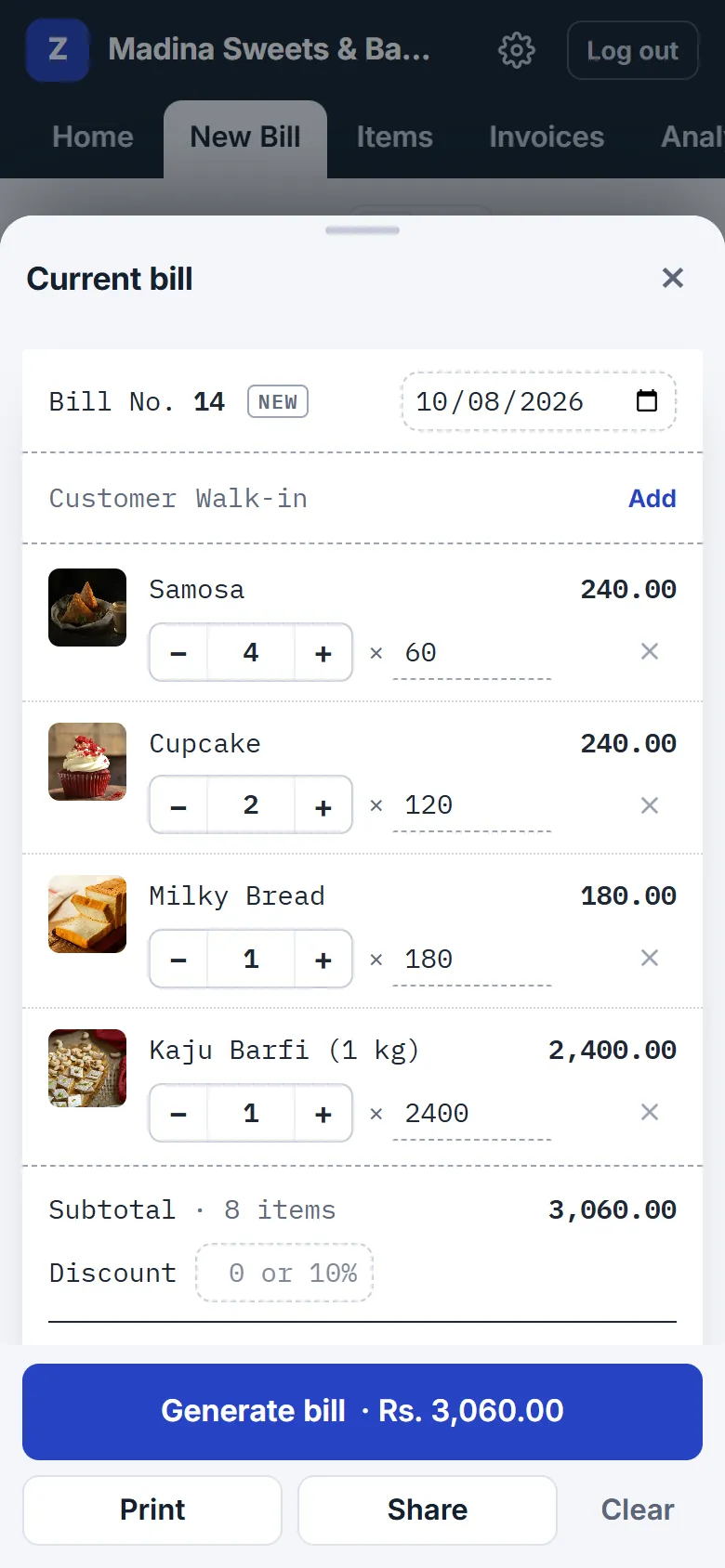
Open ZappoPOS on the counter computer and on a phone or tablet at the same time, with the same account. Every bill gets its own number and shows up on all of them, so a second counter is just another phone.
Photos make it quick for extra staff: they find each sweet by its picture, not by remembering its name. Item names can be in Urdu, and print as typed.
Is ZappoPOS right for your bakery?
A good fit for
- bakeries and sweet shops
- snack, dry fruit and confectionery counters
- home bakers taking cake orders on WhatsApp
- shops that sell by weight and by the piece on the same bill
Pick something else if you need
- production planning, recipe costing or ingredient stock
- sales tax lines on every bill
- an FBR-integrated POS, which Tier-1 retailers such as bakery chains must use
- billing straight from a weighing scale: ZappoPOS takes the weight you type
Questions
Something else? Ask the Zappo Team.
Can I sell in grams?
Set the price per kilo and use decimals: 0.25 is 250 g, 0.5 is half a kilo. If you sell fixed packs, like a 250 g snack mix, add each pack as its own item with its own price.
How do I take an advance on a cake order?
Make the bill with the customer's name and phone, enter the advance as the cash received, and save. The bill shows the balance due. When the customer collects, open the bill in Invoices, edit the cash received, and print it again.
Can I put a custom price on a special cake?
Yes. Hold the cake (or right-click it) and enter the price for this order. For a one-off extra, like a name written on the cake, type it in the search box and give it a price.
Do I need photos of everything?
No. Photos help staff find items fast, but they're optional; items without one show their initials, and you can switch to a plain list.
Can several counters bill at once during Eid?
Yes. Log in with the same account on more than one computer or phone. Each bill gets its own number.
Can item names be in Urdu?
Yes. Type them in Urdu and they print as typed.
Can I see my profit on each item?
Yes. Switch on Profit in Shop settings and add what each item costs you, per kilo for things sold by weight. Analytics shows your profit, your margin and the items that earn the most. ZappoPOS doesn't work out a cost from recipes; you enter the cost yourself.
Can offices and regular customers pay at the end of the month?
Yes. Switch on Customer accounts in Shop settings and tick Pay later on their bills. Each customer's account shows what they owe; note payments as they come in and send a statement on WhatsApp.
Set up your counter before the next rush
Free for 7 days. No card, nothing to install.