- Washing powder 1kg1 × 520520.00
- Tea 190g2 × 395790.00
- Cooking oil 1L1 × 610610.00
- Sugar 1kg3 × 165495.00
TotalRs. 2,415.00
 ZappoPOS
Tap what the customer bought. ZappoPOS prints the bill or sends it on WhatsApp, keeps a copy of every sale, and keeps working through power cuts.
From Rs. 1,500 a month. No setup fee, nothing to install. Or try it right now, no sign-up.
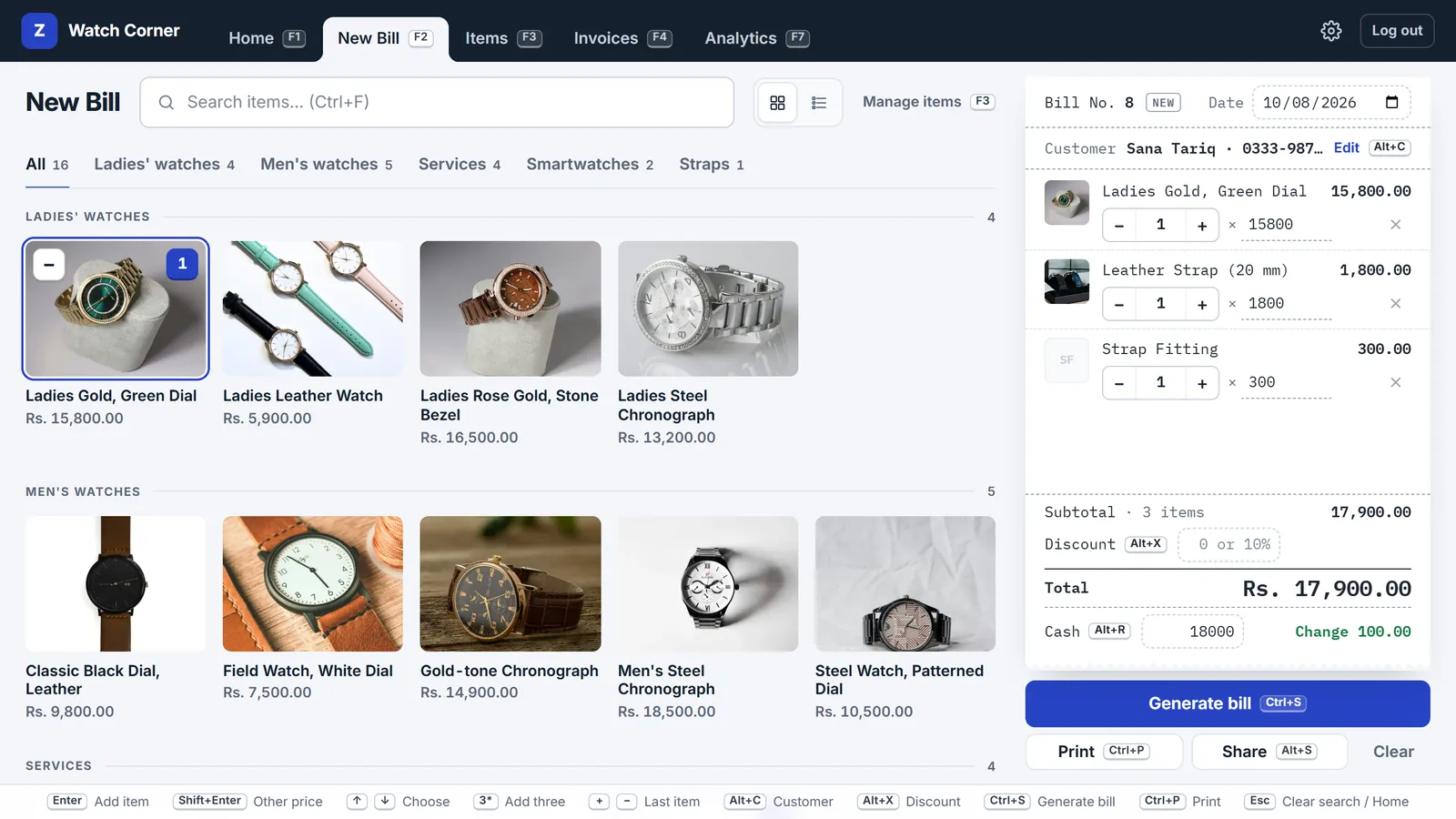
Your items on the left, as photos or a plain list. The bill builds up on the right. Total, discount and change are worked out while you tap.
Most shops keep more than a bill book: an account book for regular customers, a count of what's on the shelf, a rough sum of what the month made. ZappoPOS keeps those too. Switch on the ones your shop needs in Shop settings. They come with every plan.
Customer accounts
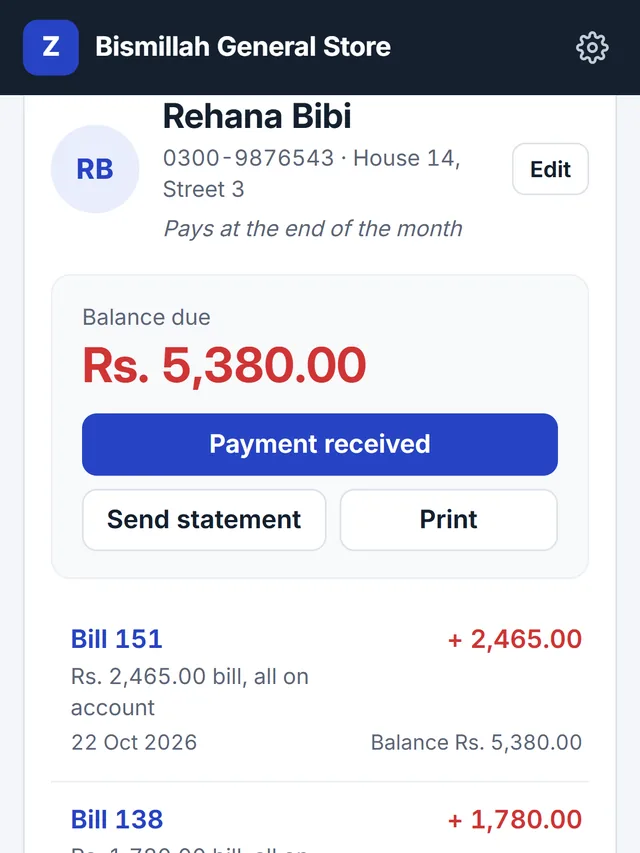
Tick Pay later and the bill goes on the customer's account. See who owes what, note payments as they come in, and send a statement on WhatsApp.
Stock
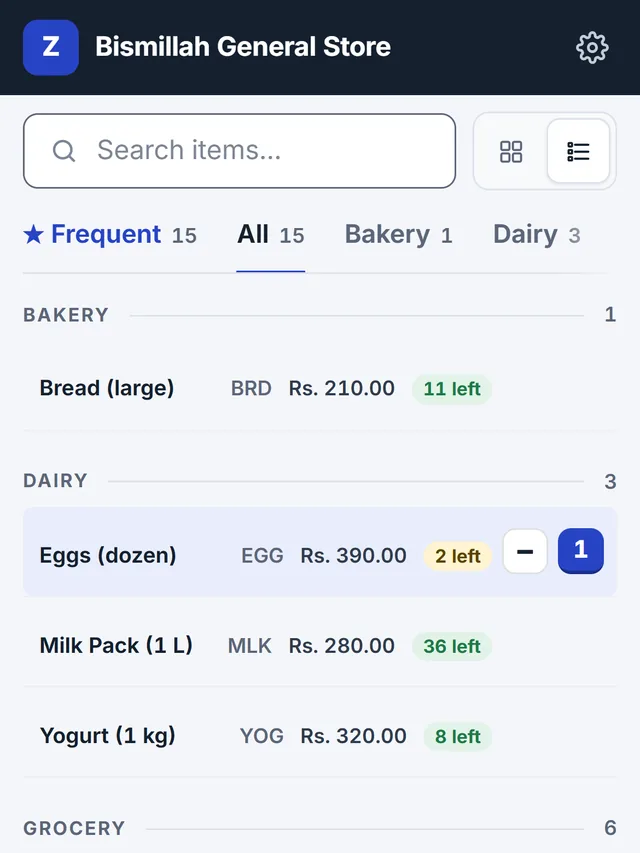
Count once. Every bill then takes off what it sold, and stock that arrives is added in a tap. New Bill shows what's left and warns when it runs low, but never stops a sale.
Profit
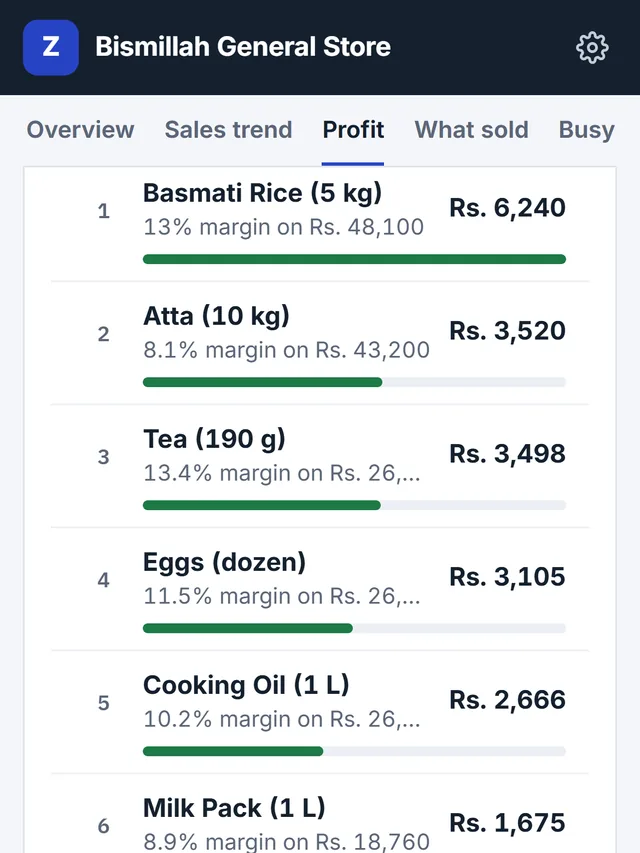
Add what each item costs you. Analytics shows your profit, your margin and the items that earn the most. Staff don't see cost prices unless you let them.
Pick how your shop works and see who logs in, and where every bill goes.
Launch prices. 25% less when you pay for a year. Compare the plans
When the internet drops, new bills are kept on the device and printed with a short reference. When it's back, they go to your account with their bill numbers. Nothing to press.
Bills are kept on this device.
Today's sales on the home screen. A sales trend you can group by day, week or month, the items that sell, and when your counter is busiest. Add cost prices and see your profit too. On Team and Multi-Branch, sales by staff and by branch.
Book a free 15-minute demo on Google Meet, from your computer or phone. We'll add a few of your items and make a bill together.
Something else? Ask the Zappo Team, or book a demo and ask it there.
No. ZappoPOS opens in the browser (Chrome or Edge) on a computer, tablet or Android phone. You can add it to the desktop or home screen like an app.
Normal A4 printers and 80 mm thermal receipt printers that are installed on Windows. Choose the paper in App settings. Our receipt printer guide covers the setup.
Yes, on the Team and Multi-Branch plans. Each person logs in with their own username, every bill shows who made it, and you choose who can give discounts, change bills or delete them.
Yes. Save the barcode number as the item's code. A USB scanner that types the code and presses Enter, as most do, adds the item to the bill.
Yes. Switch on Customer accounts in Shop settings. Tick Pay later on a bill and it goes on that customer's account; note payments when they come in, and send them a statement on WhatsApp. Moving from a notebook? Enter what each customer already owes when you open their account.
Yes, if you switch on Stock in Shop settings. Count your items once; after that every bill takes off what it sold, and you add stock when it arrives. You see what's left on New Bill and in Items, with a warning when something runs low. A sale is never blocked. Each branch keeps its own count.
No. Shops that FBR classifies as Tier-1 retailers, such as chain stores or shops in air-conditioned malls, must use an FBR-integrated POS, so ZappoPOS is not the right choice for them. Most small shops are not Tier-1; ask your tax advisor if you are unsure.
Your items and bills are stored on our server, not on one computer, and only your account can see them. Read the privacy policy for what we keep and why.
Contact the Zappo Team and we'll give you a new one. Staff ask the shop owner, who can set a new one for them.
Questions, a demo on Google Meet, or renewing your plan.